Nadir: A Bold Sans Serif Font for Impact and Clarity
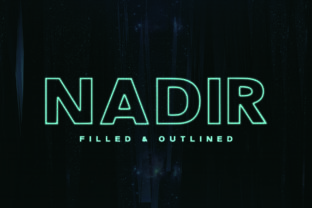
Nadir is a bold, geometric sans serif typeface designed for visibility, presence, and structural confidence. Its letterforms feature clean lines, uniform stroke weights, and tightly tuned spacing—traits that make it especially effective where legibility at scale matters most. Unlike many display fonts that sacrifice readability for novelty, Nadir maintains strong character distinction even in condensed or all-caps settings. It’s not built to whisper; it’s built to anchor.
What Sets Nadir Apart From Other Bold Sans Serifs
Many bold sans serifs lean into either extreme minimalism (think ultra-thin terminals and flattened curves) or exaggerated personality (swashes, dramatic contrast, or irregular proportions). Nadir occupies a middle ground: assertive but controlled. Its uppercase letters have generous x-heights and open apertures—critical for quick recognition in signage or digital banners. Lowercase characters avoid excessive width, allowing tighter line-setting without crowding. The font includes a full range of weights (from Medium to Black), with consistent optical sizing across sizes—so text remains balanced whether used at 24px on a website header or 120pt on a concert poster.
Unlike variable fonts that rely on interpolation between extremes, Nadir was crafted as a discrete family. That means each weight has been individually refined—not algorithmically stretched or squeezed. The result is more predictable rendering across browsers, operating systems, and print workflows. Designers report fewer surprises when exporting PDFs or preparing files for large-format printing.
Where Nadir Excels—and Where It Has Limits
Nadir shines in contexts where hierarchy, brevity, and immediacy matter. It’s frequently chosen for logo lockups where a brand wants to project modernity without abstraction—think tech startups announcing a new platform, cultural institutions launching a season campaign, or apparel brands building identity around simplicity and strength. Its rhythm supports short headlines, call-to-action buttons, exhibition titles, and product names. In editorial design, it works well for section headers paired with neutral body text like Inter or Lato—offering contrast without competing for attention.
That said, Nadir isn’t optimized for long-form reading. Its high contrast and tight spacing reduce comfort in paragraphs longer than two or three lines. It also lacks stylistic alternates, small caps, or discretionary ligatures—features that support typographic nuance in premium publishing or branding systems requiring layered voice. If your project needs expressive variation within a single family (e.g., switching from headline to caption with subtle weight shifts and case treatments), Nadir may require thoughtful pairing rather than standalone use.
Comparing Fit: When Nadir Aligns With Your Goals
Choosing a bold sans serif often comes down to matching intent with execution. Consider these real-world decision points:
- You’re designing a responsive website header. Nadir’s consistent metrics and robust hinting ensure clarity on both high-DPI screens and legacy displays—unlike some newer display fonts that appear pixelated below 36px on Windows systems.
- Your brand guidelines emphasize scalability. Because Nadir renders predictably across formats—from mobile app splash screens to vinyl wall decals—it reduces the need for custom font substitutions or fallback adjustments.
- You need visual authority without ornamentation. Compared to fonts with decorative terminals or modulated strokes, Nadir delivers gravity through proportion and mass alone. This makes it easier to integrate into minimalist UIs or data dashboards where typography must support, not distract from, content.
- You’re working under tight technical constraints. Nadir’s standard OpenType features (standard ligatures, basic fractions, localized forms) are widely supported. It doesn’t depend on advanced rendering engines or CSS font-feature-settings overrides—making it safer for email templates or legacy CMS environments.
When Another Option Might Serve Better
Nadir’s strengths become limitations in certain scenarios. If your project involves multilingual typesetting beyond Latin-based scripts, evaluate coverage carefully: while Nadir supports Western, Central, and Eastern European languages, its Cyrillic and Greek glyphs were added later and show less refinement in spacing and stress distribution. For global campaigns spanning Arabic, Devanagari, or CJK scripts, you’ll likely need complementary typefaces—or a broader system font with deeper language support.
Similarly, if your workflow relies heavily on dynamic text generation—such as personalized marketing emails or AI-generated reports—Nadir’s lack of true italic variants (it offers obliques only) can limit typographic flexibility. Obliques maintain the same weight and structure as uprights, which helps preserve impact but limits options for emphasis or nested information layers.
For editorial projects demanding tonal range—say, a magazine balancing investigative reporting with poetic essays—a font with more expressive contrast (like a humanist sans with warm terminals and varied stroke modulation) may offer richer voice. Nadir communicates certainty, not ambiguity—and that’s intentional. But certainty isn’t always the goal.
Practical Pairing Strategies
Because Nadir functions best as a structural anchor, successful implementation usually depends on deliberate pairing. Here’s what tends to work:
- With neutral, highly legible sans serifs: Fonts like Inter, Manrope, or IBM Plex Sans provide excellent contrast in weight and texture while sharing Nadir’s functional ethos. Their open counters and relaxed proportions create breathing room around Nadir’s density.
- With restrained serifs: A low-contrast serif such as Charter or PT Serif adds quiet sophistication without clashing. Avoid high-contrast serifs like Bodoni—those introduce competing drama.
- In interface design: Use Nadir only for primary labels and key actions. Reserve lighter weights of the same family—or a dedicated UI font—for secondary text. Consistency in vertical metrics prevents layout jumps during state changes (e.g., hover, focus).
Evaluating Real-World Performance
Performance isn’t just about file size—it’s about how reliably Nadir behaves across environments. At ~180 KB for the full desktop set (six weights, Roman only), it sits comfortably between lightweight system fonts and expansive variable families. Webfont subsets (e.g., Latin-only WOFF2) drop below 40 KB, supporting fast loading without sacrificing core functionality.
More importantly, Nadir avoids common rendering pitfalls. Its stem widths and curve tensions were tested across Chrome, Safari, Firefox, and Edge—including older versions still in enterprise use. Designers working in Figma or Adobe XD note that its vector outlines remain crisp when scaled or exported to SVG—unlike some fonts whose hinting degrades at non-integer zoom levels.
Making the Call: Is Nadir Right for Your Next Project?
Ask yourself three questions before committing:
- Does the message benefit from visual weight and clarity over subtlety? If yes, Nadir provides reliable impact without needing extra styling.
- Is consistency across platforms and outputs non-negotiable? Nadir’s conservative OpenType implementation and broad OS support simplify QA cycles.
- Do you already have—or plan to develop—a complementary text font? Nadir rarely stands alone well. Its effectiveness multiplies when paired intentionally.
If two or more answers are “yes,” Nadir is worth prototyping. If your goals center on emotional resonance, linguistic breadth, or typographic playfulness, explore alternatives—but do so with clear criteria. The strongest font choices emerge not from trend awareness, but from alignment with purpose, audience, and medium.